Blog · Release · This week
Math Mode: the formula behind the art.
A teacher's-tool overlay arriving in Spiralyst Lab v3.1 — pin the live equation of every fractal to the canvas, with parameter values updating in real time as you tune sliders or as audio reactivity drives them.
Every fractal in Spiralyst Lab has a formula behind it. Sometimes it's a single line
— the Archimedean spiral is just r = a + b·θ. Sometimes it's a stack of
ray-marched escape iterations across a 3D distance field. Until now, that math has
been the part of the app you didn't see. With Math Mode, you can.
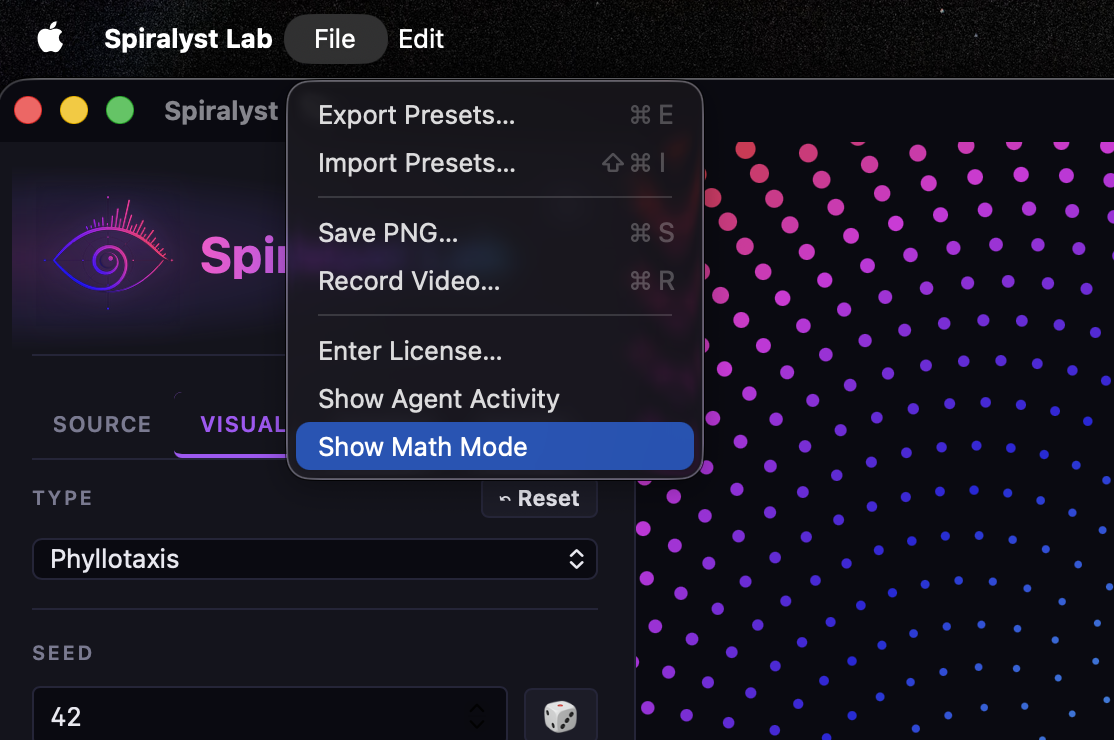
Toggle it on (File → Show Math Mode) and a compact, brand-styled formula tile pins to the top-right of the canvas. It shows the current fractal's primary equation, updates live as you tune the sliders, and lists every symbol with its meaning. Click Read more for a full explainer drawn from the same content bank that powers this site's fractal gallery. Toggle it off and it's gone — Math Mode is opt-in and out of the way until you ask for it.
How to turn it on
What you see when you turn it on
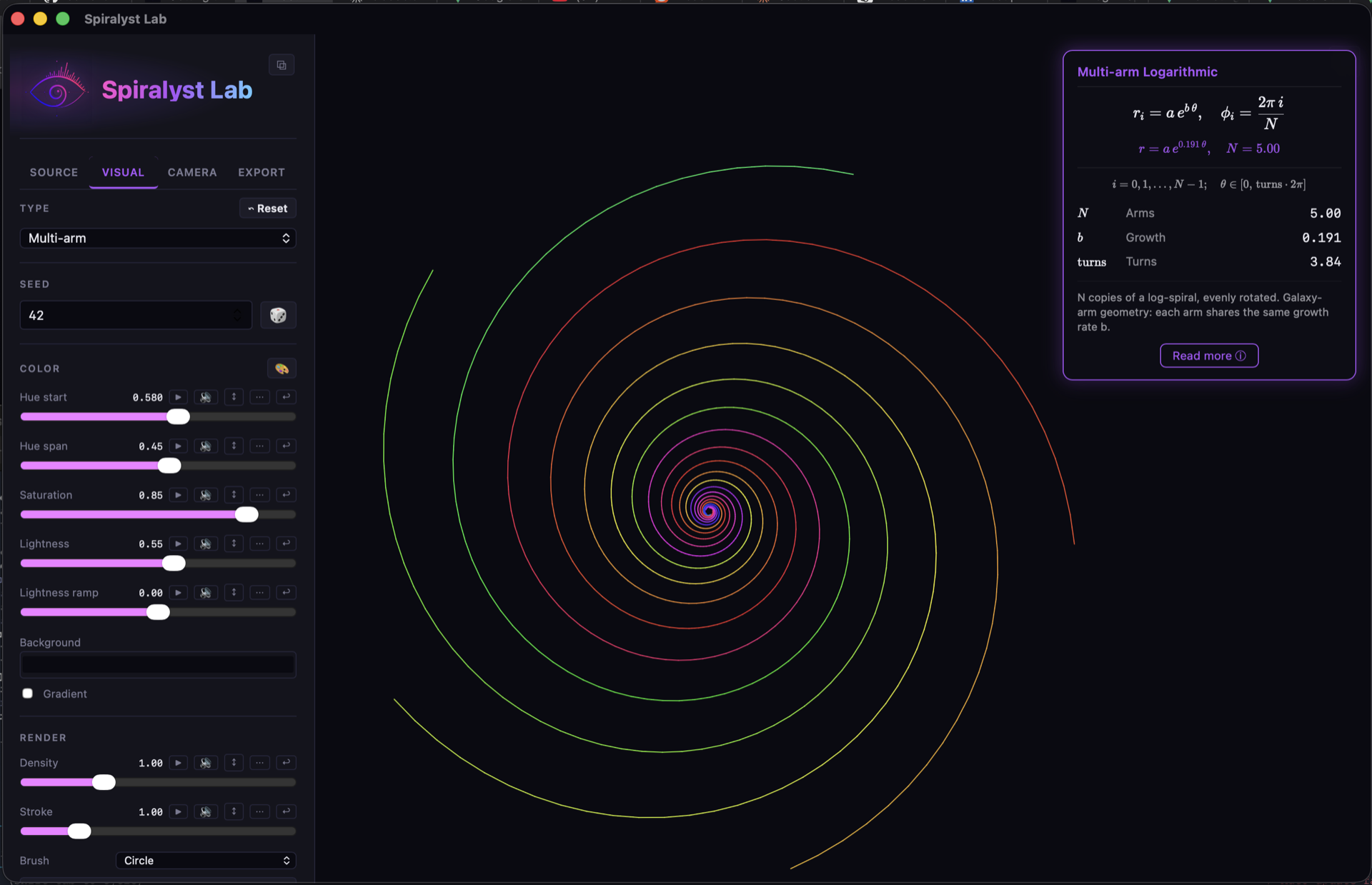
N value updates in real time;
wire Growth to the bass band and watch b breathe with the music.
The tile is non-interactive — you still tune the fractal from the regular sidebar sliders. The tile reflects. Everything in purple updates live: as θ sweeps, as b moves, as audio bands drive their bound parameters. The plain-language line at the bottom is the same one you'd find in the gallery sub-page for that fractal — short, accurate, written to be readable by someone who is not (yet) a mathematician.
Read more — the full explainer
Click Read more ⓘ on the tile and a scrollable, semi-transparent info card slides in over the canvas. The live fractal still breathes faintly behind the prose. The formula tile expands downward into the right gutter — adding a large brand-styled hero formula card and a per-slider reference panel.
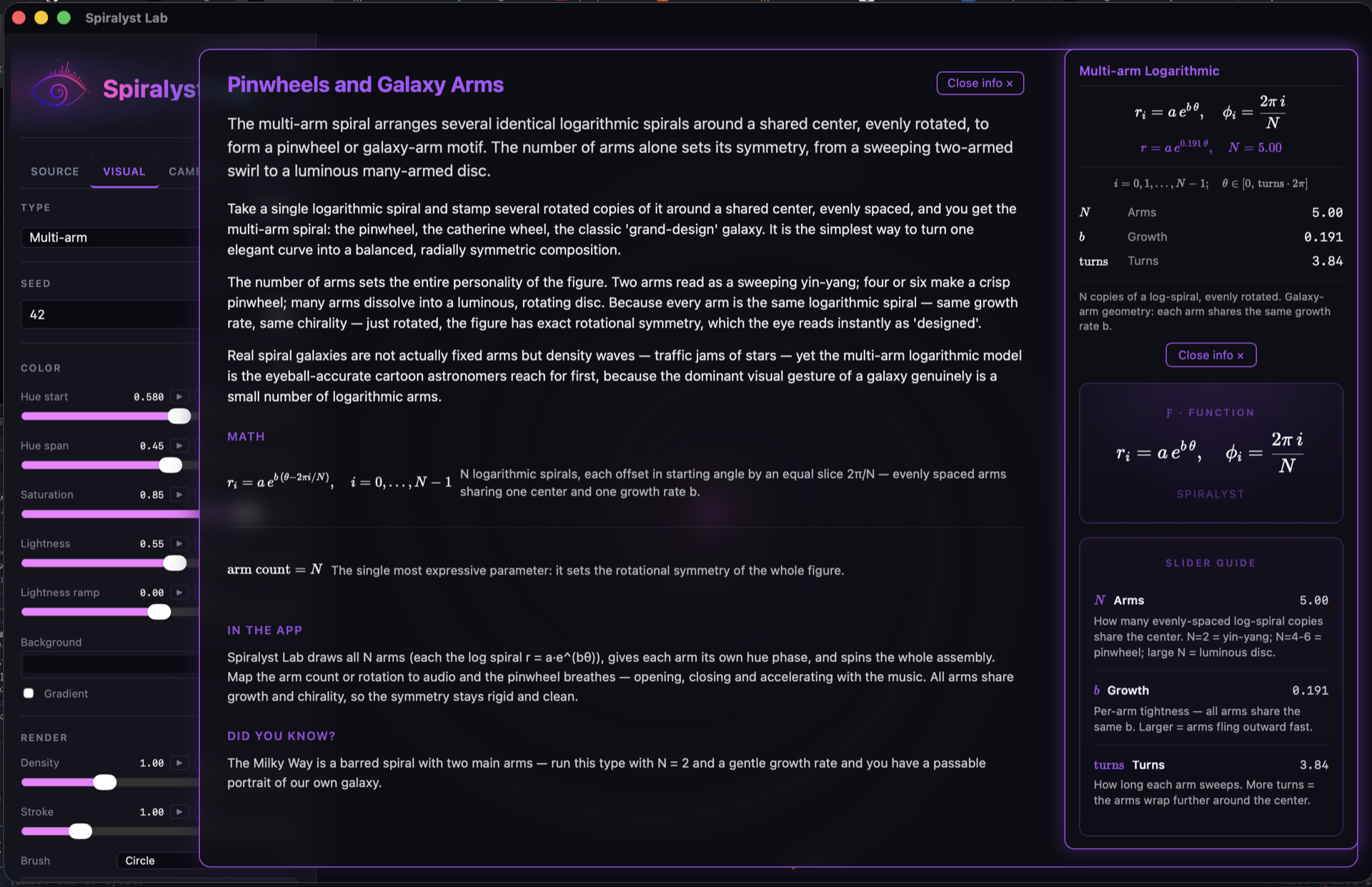
Each card carries the same shape: short summary, long-form paragraphs (typically
three), every supplementary formula with a plain-text note, an In the app
paragraph that explains how Spiralyst Lab actually renders that fractal type, and a
Did you know? hook at the bottom. The Pinwheels and Galaxy Arms entry
above ends with the kind of fact the page is built around: the Milky Way is a barred
spiral with two main arms — run Multi-arm with N = 2 and a gentle growth
rate and you have a passable portrait of our own galaxy.
All 27 fractals
v3.1 ships Math Mode coverage for every fractal type the app renders: 14 in 2D (Archimedean and logarithmic spirals, phyllotaxis, fractal roses, the Pythagoras tree, the Apollonian gasket, Julia sets, the SVG-fractal mode, and a few more) and 13 in 3D (Mandelbulb, Mandelbox, Menger sponge, quaternion Julia sets, three KIFS symmetry solids, pseudo-Kleinian forms, an Apollonian 3D packing, two triply-periodic minimal surfaces, and a hybrid Bulb-Box). Compact-tile, info card, hero formula, slider guide — same shape across all 27. The 3D math reads the live shader uniforms, so the evaluated form on a 3D fractal is the same kind of live truth as on a 2D one.
Render-quality knobs on the 3D types (the surface-ε and ray-step controls) are excluded from Math Mode by design — they're ray-march tuning, not mathematics.
Built for tinkerers, classrooms — and agents
Math Mode is opt-in and out of your way until you ask for it, but when it's on it rewards a particular kind of audience: people who want to see what changes when a slider moves. A DJ tweaking a band-mapping in real time sees the formula recompute. A teacher walking a class through fractal geometry can drive the whole thing from the screen, with the equation evaluated live for whatever value the student picks. A generative artist building a preset can confirm the parameters they landed on match the look they're chasing.
Everything you can do with Math Mode from the menu, you can also do from code: the toggle, the current state, and the per-symbol values are exposed on the same local automation API documented on our Automation & API page. A scripted classroom walkthrough, a MIDI controller that drives the explainer as well as the visuals, an agent that asks "what does this formula look like with these values" — all reachable.
Privacy stays privacy
Math Mode follows the same rules as the rest of Spiralyst Lab. No telemetry. No
external network requests — the KaTeX renderer is bundled locally, the content bank
is local, and your Math Mode toggle state is stored in
~/.spiralyst-lab/store/ and nowhere else. Turning it on doesn't change
the app's privacy posture by a single bit.
When it ships
v3.1.0 lands this week. Existing licensees get it as a normal in-app update — the annual license keeps everyone on the current, signed, notarized build, which is exactly why we make a release a release. New buyers get it the moment they download from spiralyst.com.
If you'd like the formal release notes the moment they're posted, the blog feeds into the announcement channels we're standing up — or check back at spiralyst.com/blog.