1
Pay with PayPal
Check out securely for $24.99. You'll land on a thank-you page when you're done.
Pricing
No subscriptions hidden in the fine print, no feature tiers, no upsells.
$24.99
per year · single-user license
Opens PayPal in a new tab. No PayPal account needed — pay as a guest with any debit/credit card or Apple Pay. We never see or store your card details; PayPal charges your card directly. You're paying the developer through their own PayPal account — no reseller in between.
macOS 14.4+ · Apple Silicon · signed & notarized · no account, no tracking
How it works
Check out securely for $24.99. You'll land on a thank-you page when you're done.
We send your 1-year serial number to your PayPal email — usually within 8 hours. (Check spam if you don't see it.)
Download Spiralyst Lab, enter your serial, and start turning sound into fractals.
Serials are delivered by hand at launch. Questions? See Support or our Refund Policy.
Checkout
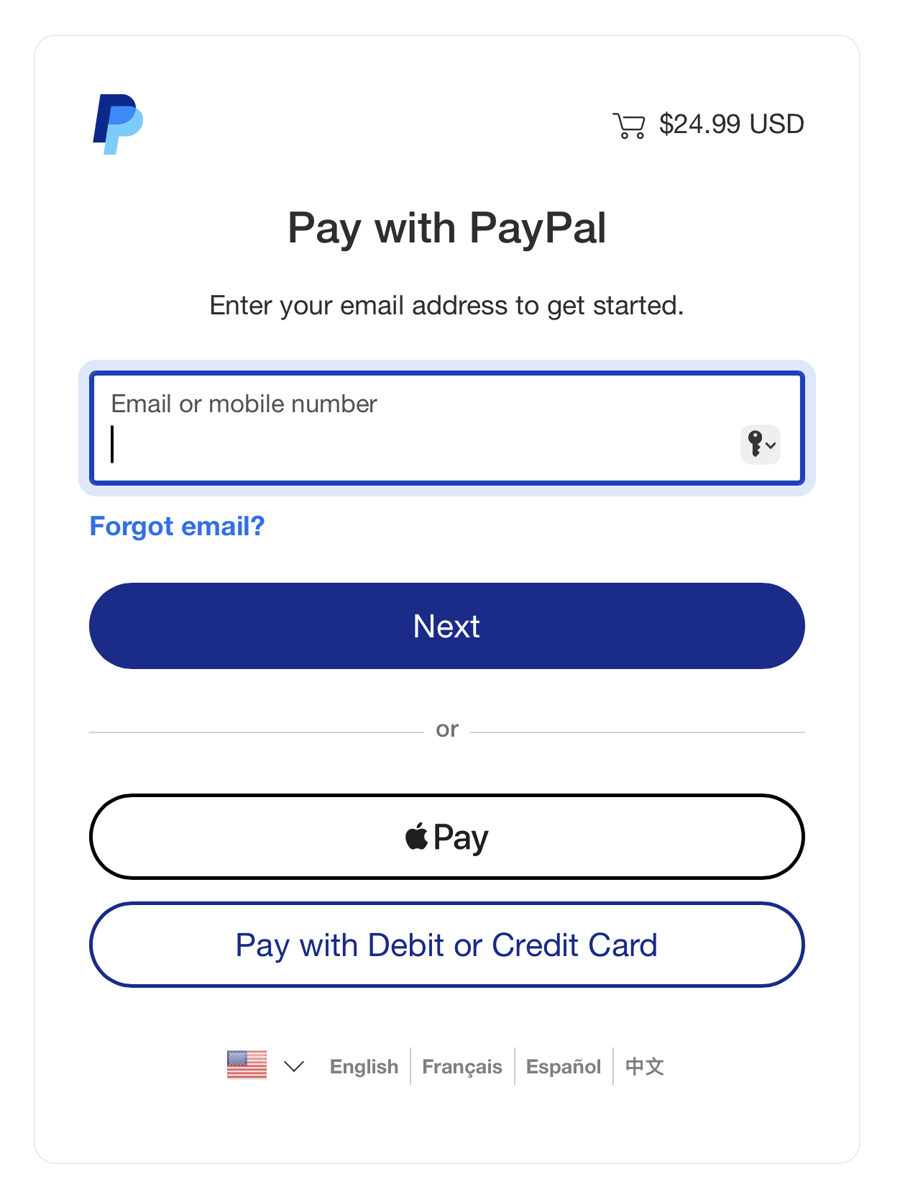
PayPal runs the checkout, but you can pay as a guest with any debit/credit card or Apple Pay — no account and no sign-up required. Here's exactly what you'll see, step by step.
After you tap Buy now with PayPal, a PayPal window opens — you don't have to log in. Tap Apple Pay, or Pay with Debit or Credit Card, to check out as a guest. Your total shows $24.99 USD.
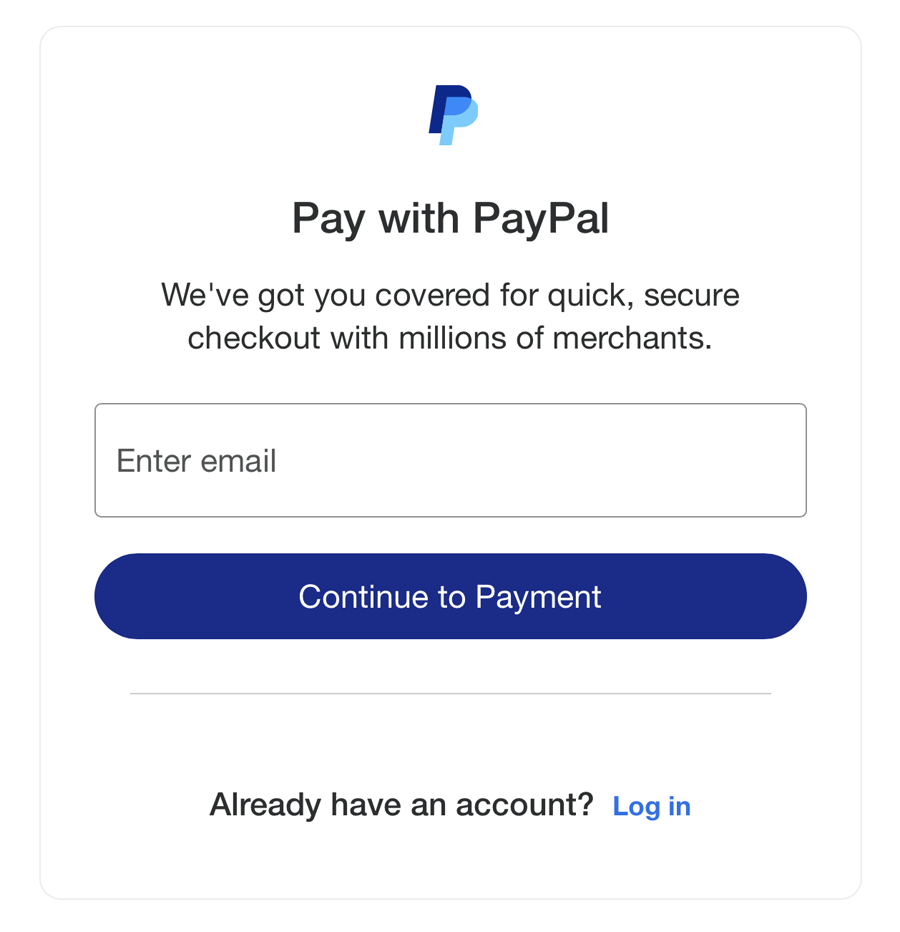
Type an email address and tap Continue to Payment. Use an inbox you can reach — this is where we send your serial number, so pick the email you'll check after buying.
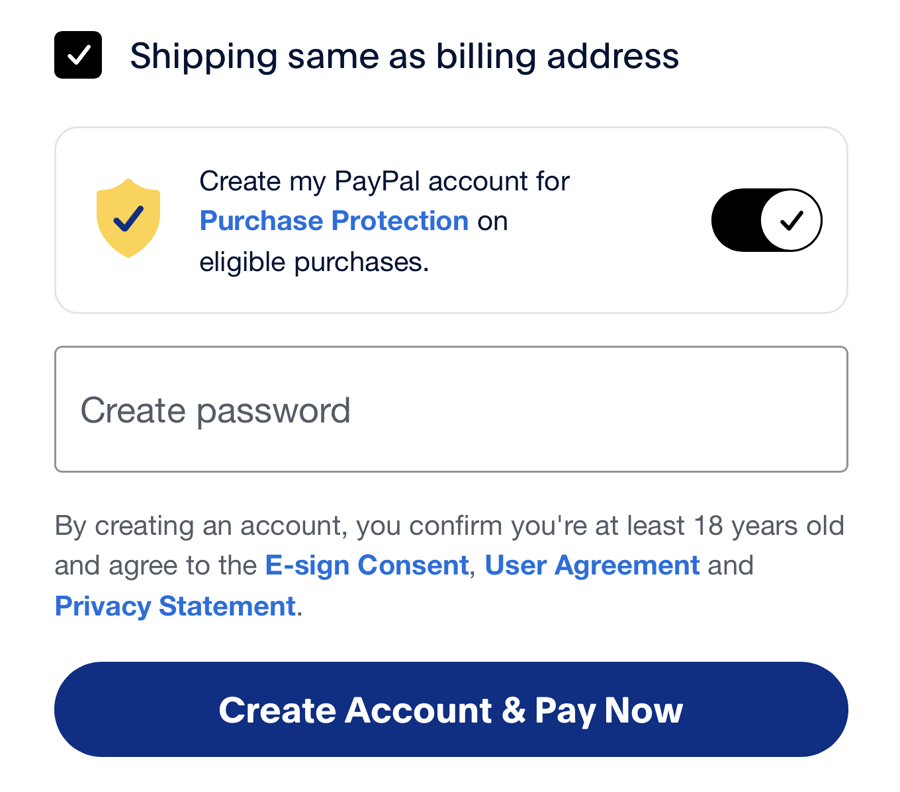
After your card details, PayPal pre-selects creating an account — the toggle is on and it asks you to make a password. Switch that toggle off. You don't need a PayPal account to buy Spiralyst Lab.
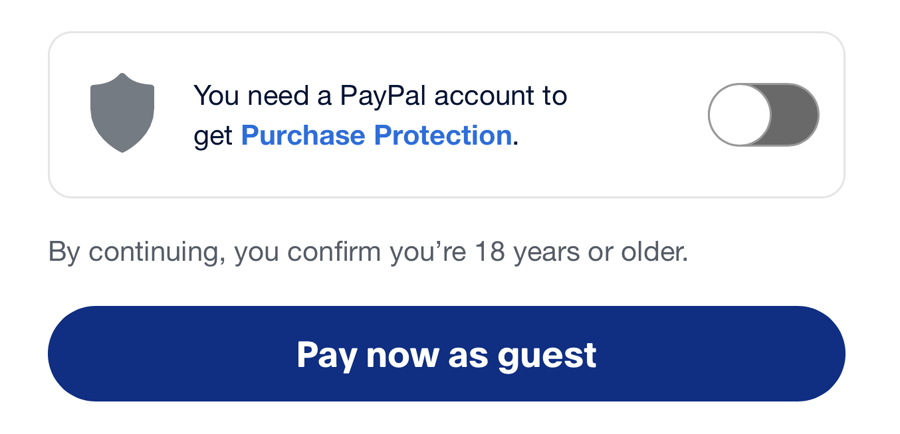
With the toggle off, the password field disappears and the button changes to Pay now as guest. Tap it to finish, then return to this tab — your 1-year serial arrives by email.
Your card stays private. We never see or store your card details — PayPal charges your card directly. You're paying the developer through their own PayPal account — not a third-party reseller.
Because old software in the wild is a security problem — for you and for us.
Your serial is valid for one year. That's deliberate: it keeps everyone on a current, code-signed, notarized, supported build — not a decade-old copy running unpatched code. When the year is up, renew at the same honest price and keep creating. You're always on a fresh, maintained version.