Support
How can we help?
Pick a guide below, browse the FAQ, or email us — we're a quick message away.
Email support@spiralyst.com. For purchase questions, include the email on your PayPal order; for technical questions, include your macOS version.
Automation & API (for power users). Spiralyst Lab is scriptable — a local HTTP API plus a set of reference Claude Code skills let scripts, MIDI/OSC rigs, AI agents, and QA harnesses read the live audio and drive the visuals. See the Automation & API page.
Help guides
Step-by-step walkthroughs with screenshots. Each opens its own page.
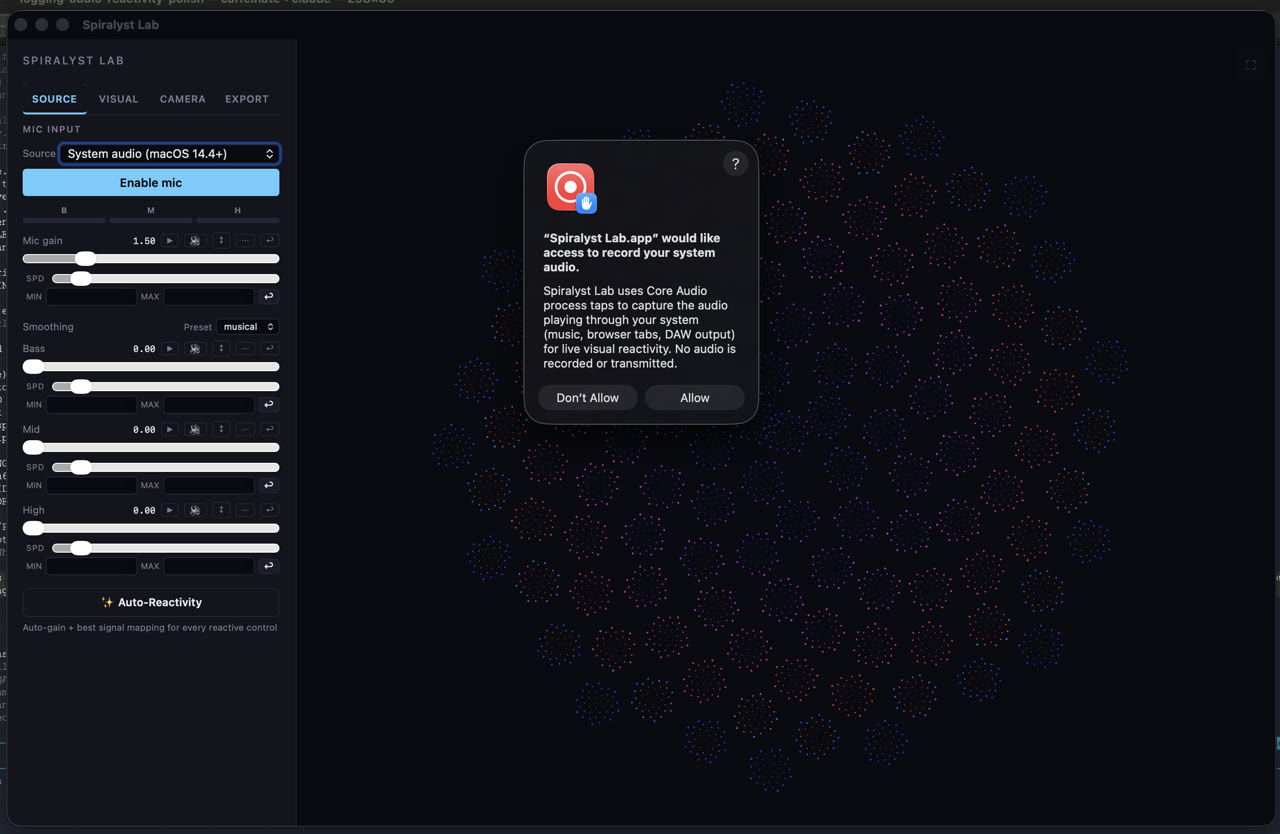
Letting Spiralyst Lab hear your system audio
Spiralyst Lab can react to anything playing on your Mac — DJ software, a music app, browser tabs, a DAW.
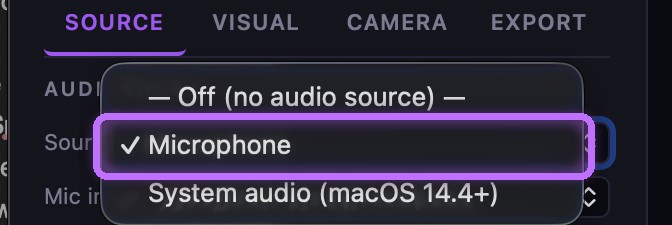
Using a microphone or audio input device
Prefer a live feed — a built-in mic, a USB audio interface, or your DJ mixer or controller routed in? Spiralyst Lab can use any audio input device macOS lists under "Microphone." This guide covers choosing it and granting the standard microphone permission.
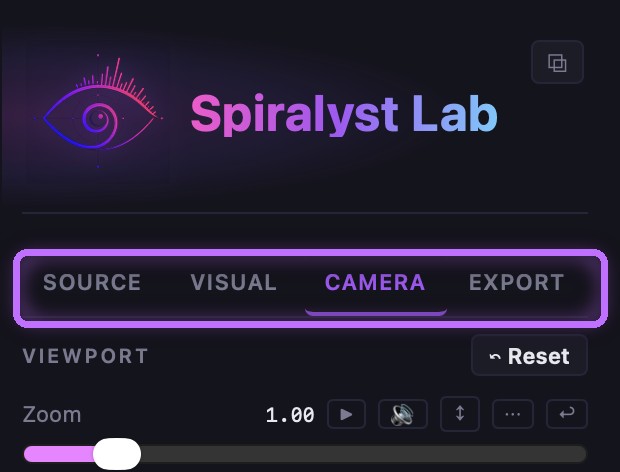
Install Spiralyst Lab and take the tour
From a fresh download to your first reactive scene: open the disk image, drag the app to Applications, open it for the first time, accept the license, register with your serial (or run the trial), and find your way around the four tabs.
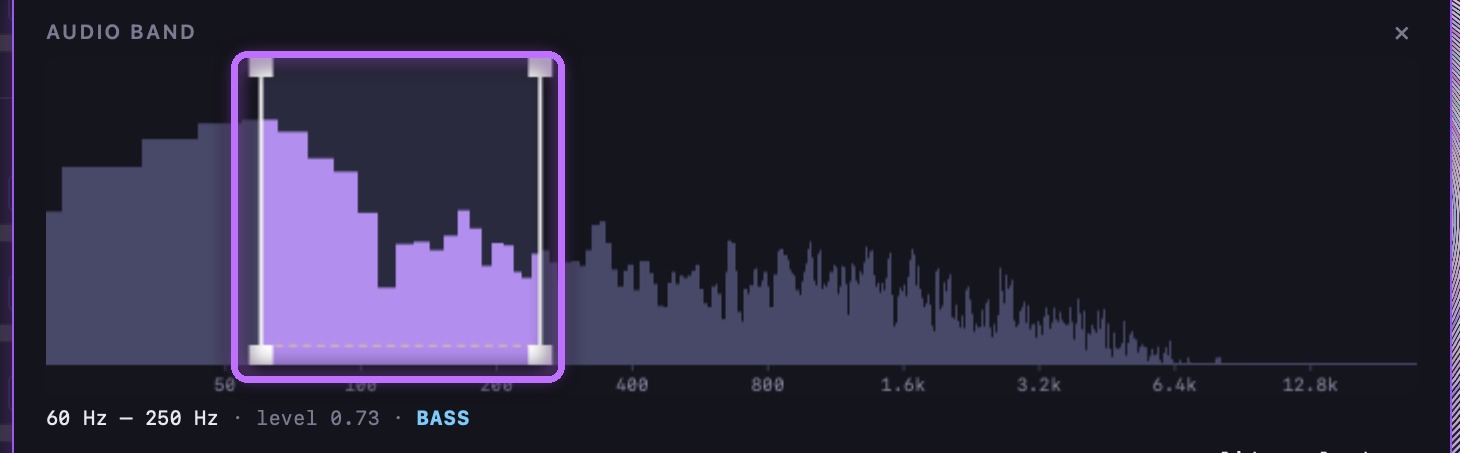
Map sound to motion with frequency bands
Wire any control to a specific slice of the sound — the kick, the snare, the hats, the vocal.
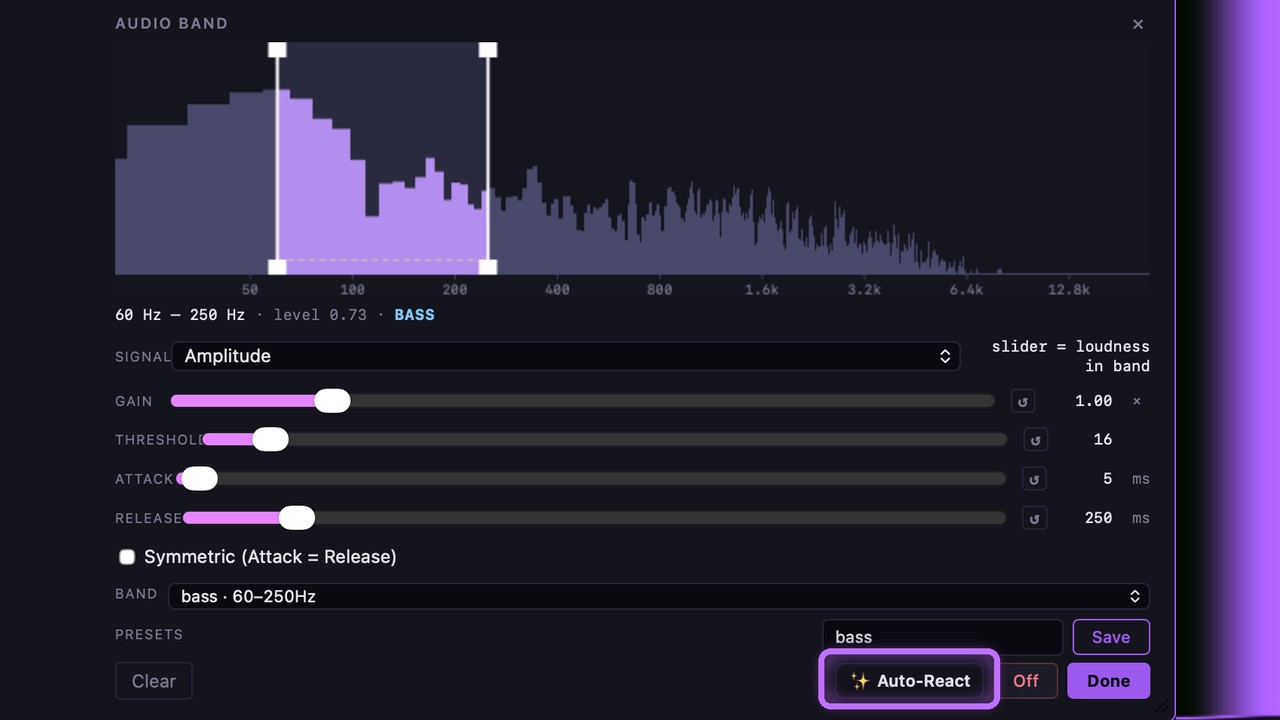
Tune reactivity in one tap with Auto-Reactivity
Getting every audio-driven control to react just right by hand is the least fun part of building a look.
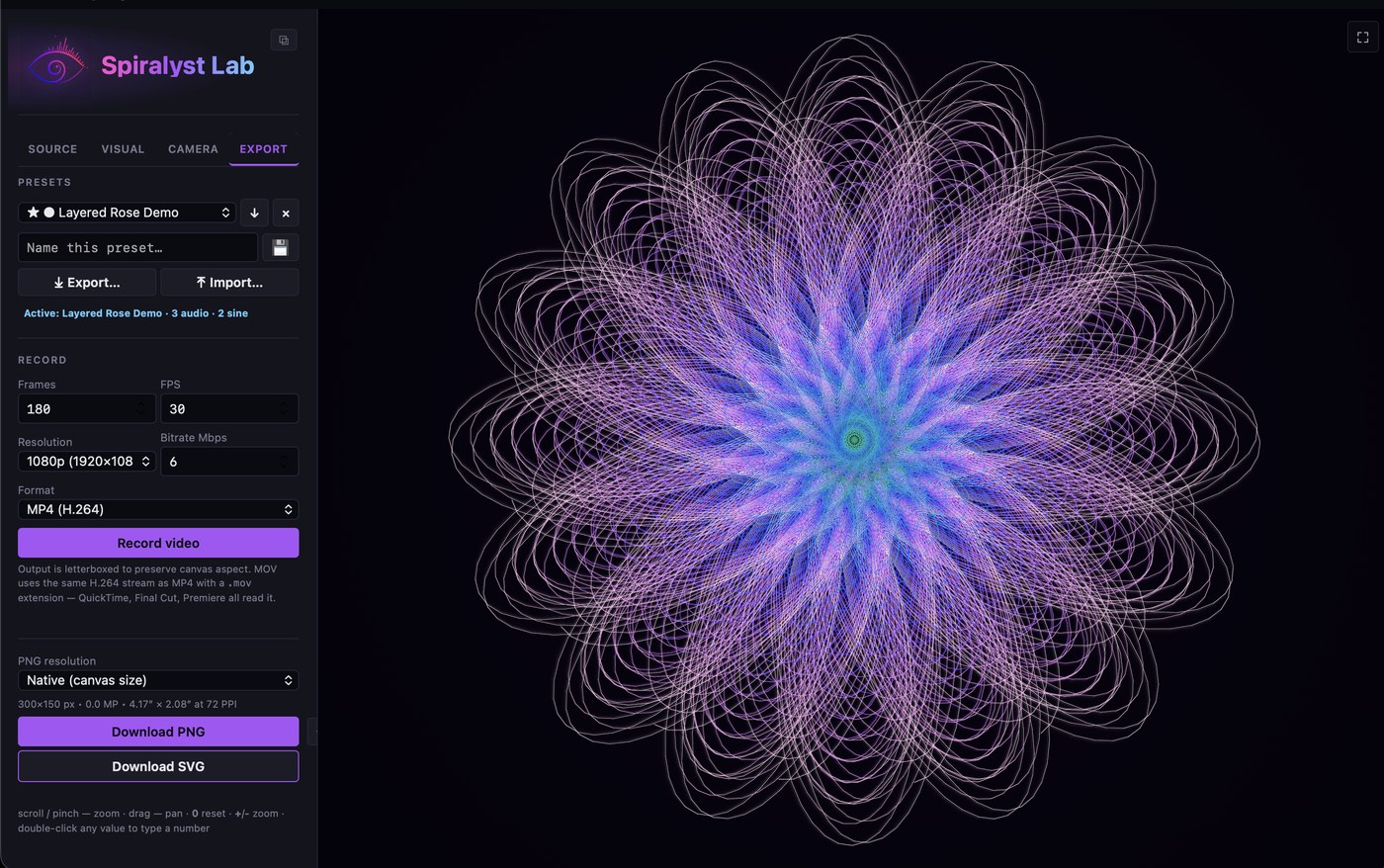
Save, reuse, and move your scenes
A preset captures a whole look so you can recall it instantly.
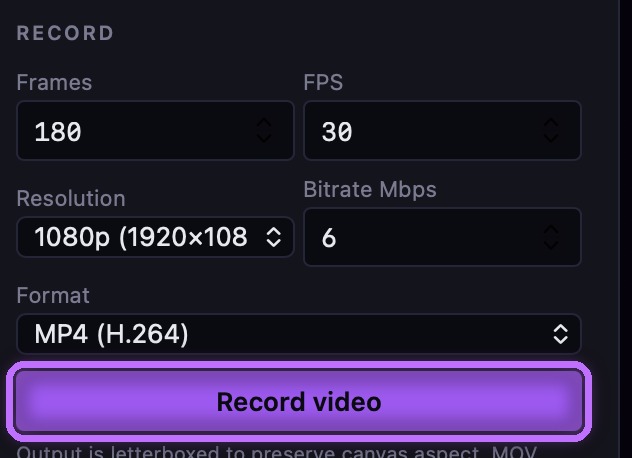
Export video, PNG stills, and SVG
Get your work out of the app: record video up to 4K, save high-resolution PNG stills with print-ready PPI, or export crisp SVG vectors from 2D fractals.
Display your logo in SVG Fractal mode
Import your brand's logo as an SVG and render it as live, fractalized line art — perfect for branded displays. An outline (stroke) version of the logo works best.
Frequently asked
Quick answers on buying, install, using the app, and privacy.
Buying & licensing
I'm a teacher — is there an education license?
Yes, and it's free. If you actively teach science, technology, engineering, art, music or math — any level, from elementary school through university — email support@spiralyst.com from your school or university address and we'll send you a one-year license key. No forms and no paperwork; the school email address is the only check. Full details here.
How much is Spiralyst Lab, and how does the license work?
$24.99 USD for a one-year license. Your serial number activates the app for one year from purchase. When the year is up, renew to keep using it — at the same price.
Why a one-year license instead of buy-once-forever?
It keeps everyone on a current, code-signed, notarized build that's secure and supported, rather than old copies running unpatched code for years. You always have a fresh, maintained version.
How do I pay?
Through PayPal. You can use a PayPal balance or pay with any card via PayPal's checkout — no PayPal account required.
How and when do I get my serial number?
We deliver serials by email to the address on your PayPal order, manually, usually within 8 hours. If it hasn't arrived (check spam first), email support@spiralyst.com and we'll sort it fast.
Can I use my license on more than one Mac?
Your license is for a single user. See the EULA for the exact terms. Need multiple seats for a team or venue? Email us about volume licensing.
Do you offer refunds?
Yes — see our Refund Policy. In short: if the serial can't be delivered or the app won't activate, you're covered.
Is there a free trial?
A trial is planned. Check back, or join the launch list to be notified.
Compatibility & install
What do I need to run it?
macOS 14.4 or later, on an Apple Silicon Mac. See the Download page for full details.
Is it on the Mac App Store?
No — Spiralyst Lab is a direct download. That deliberate choice lets it capture system audio natively. It's signed and notarized by Apple, so it installs cleanly.
What happens on first launch?
It just opens — Spiralyst Lab is signed and notarized by Apple, so a normal double-click launches it with no security warning. The only thing macOS asks for is audio permission the first time you capture system sound or use a mic; allow it so the app can hear your audio. See Capturing system audio.
Using the app
What audio can it react to?
Three ways to listen: system audio (anything playing on your Mac — DJ software, music apps, browsers), the built-in mic, or any audio input device your Mac recognizes — a USB microphone, an audio interface, or your DJ mixer or controller routed in. Pick the source in the Source tab.
Can I use my DJ mixer, controller, or an audio interface?
Yes. Connect your mixer's booth or record output, your controller, or a turntable to a USB audio interface (or any input your Mac sees), then in the Source tab set Source to Microphone and pick it from the Mic input dropdown — it lists every input macOS recognizes. The live feed drives the visuals directly. See Using a microphone or audio input device.
Do I need a virtual audio cable or loopback driver?
No. Spiralyst Lab captures system audio natively, with no extra routing.
Is my audio recorded or sent anywhere?
No. Audio is analyzed live to drive the visuals and is never recorded, saved, or transmitted.
Can I use it on a projector or LED wall?
Yes — send the canvas fullscreen to an external display. It's built for live output.
Will it react fast enough for live performance?
Yes. The audio-to-visual path is tuned for low latency (around ~50 ms end-to-end) so the picture stays tight to the beat.
Can I use my own logo or artwork?
Yes — in 2D modes you can import an SVG so the fractal is drawn from your own mark. Great for branded and event displays.
Can I record or export what I make?
Yes — video (MP4/MOV/WebM up to 4K), high-DPI PNG stills, and SVG vectors for 2D pieces. Exports are video-only — captured audio is never written into the file.
Does the music end up in my exported video?
No. Exports are video-only — Spiralyst Lab never writes captured audio into an exported file. Whatever you play — system audio or a microphone — is analyzed to drive the visuals and then discarded. That keeps your exports clear of music you may not hold the rights to redistribute: what you get is your artwork, not a copy of someone's track. Add your own licensed audio in any video editor.
Does it tune the audio reactivity for me?
Yes — Auto-Reactivity. Play your track and tap the ✨ button and Spiralyst Lab auto-tunes every audio-driven control so it reacts cleanly to the music instead of sitting maxed out or barely moving. See the Auto-Reactivity guide.
Can I move my setups between Macs?
Yes. Save your looks as presets, then export your whole library — presets plus your audio band library — as a single bundle file and import it on another Mac. Your setups travel with you. See Save, reuse, and move your scenes.
Can I control or automate the app with scripts or an AI agent?
Yes. Spiralyst Lab is scriptable: a local HTTP API plus a set of reference Claude Code skills let scripts, MIDI/OSC rigs, AI agents, and QA harnesses read the live audio and drive the visuals in real time — locally, with no telemetry. See the Automation & API page.
Privacy & trust
Do you collect any data?
No. No account, no telemetry, no analytics. The only data exchanged is at checkout, via PayPal. See our Privacy Policy.
How do I renew when my year is up?
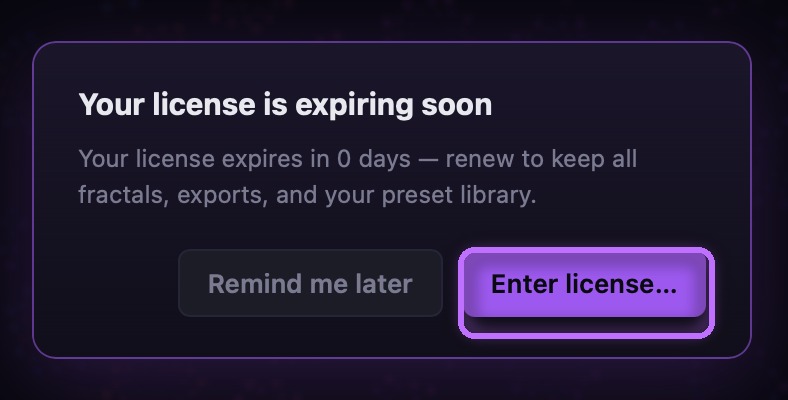
When your license nears expiry, Spiralyst Lab shows an in-app reminder. Buy a fresh year from the pricing page, then click Enter license… and paste the new one-year serial we email you.